Reduce Your Environmental Footprint Using SonarQube Plugin EcoCode
Imagine a world where every line of code contributes to environmental harmony, where software innovation aligns seamlessly with ecological responsibility. In practice our code is written efficiently as it should be. To bring these principles to life, we've harnessed the power of a SonarQube plugin.

- Veeraj KolliDevOps Engineer
EcoCode is a collective project aiming to reduce environmental footprint of software at code level. Based on a list of static code analysers it will highlight code structures that may have a negative ecological impact on the support languages e.a. java, php, python, javascript, typescript and swift.
This library operates on a foundation of evolving catalogues of good practices, tailored for various code languages. This plugin acts as a vigilant guardian, scanning your projects to improve the application footprint and efficiency.
SonarQube is used in the development lifecycle of the engineer for ensuring source code quality. The EcoCode code analysers rules will be published in central SonarQube where every engineer has access to. This will contribute sustainable code deployments on a daily basis.
Have you ever asked yourself how much energy data and technology uses?
Find out more about IT's hidden footprintInitial setup of SonarQube
If you as a Rabobank engineer cannot wait until it is released centrally and already want to gain experience with EcoCode. Then you can try it yourself. Download SonarQube 10.1 version for a Linux server and then create sonar user to access the SonarQube in your local environment. Post setting up SonarQube, start the SonarQube service and try to access using URL http://{servername}:9000/.

Configure EcoCode Plugin in SonarQube setup.
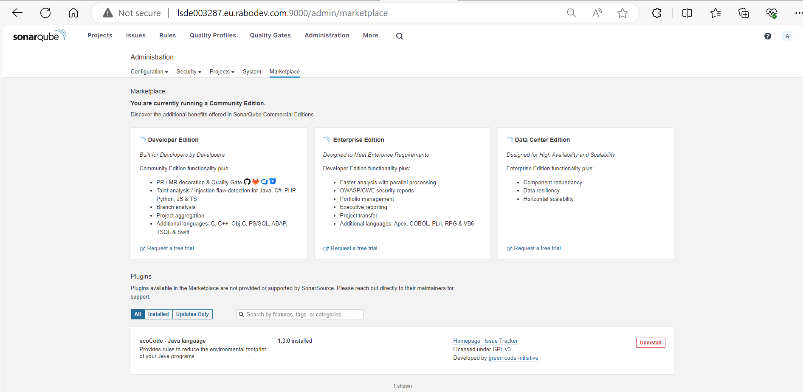
Since there is no EcoCode plugin added to current SonarQube setup and since we are using embedded database, we need to configure it manually. Use SonarQube™ Plugins Index to download EcoCode plugin for Linux and search for EcoCode for java language and download it. Once downloaded, copy the jar to/opt/SonarQube/extensions/plugins/ directory in Linux server and refresh the Administration → Marketplace tab, you will see the EcoCode plugin.
Initial setup for Java Project
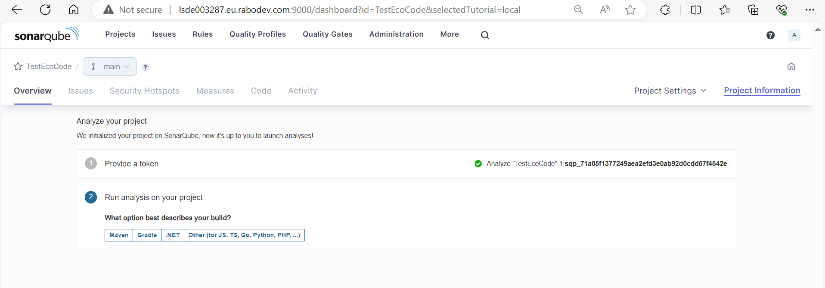
Default username and password is created to login to SonarQube. You can login using default username (admin) and password (admin) to login for first time and change it once you are logged in. Post logging into SonarQube, you can setup your Java project manually. We are setting up Java project manually in this scenario and using Global setting to create the project. You can select your favourite CI in below list. For simplicity, we are using Locally option to setup Java project and to analyse your project, you need to generate token by clicking generate button and then click on continue.
Configure and setup EcoCode Quality Profile
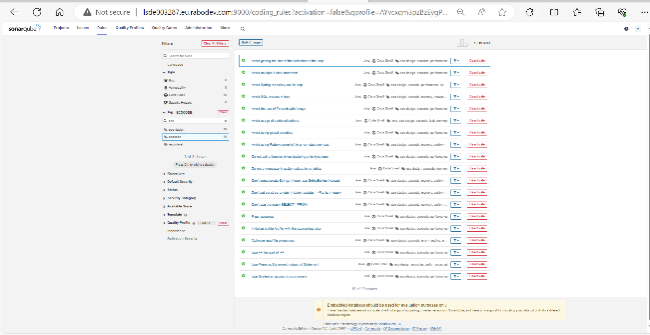
Create new blank quality profile and assign EcoCode Rules. Select EcoCode once created and select activate more on left side and then search EcoCode under Tag. You should see 19 rules with respect to EcoCode tag and activate all for this quality profile and set the severity of the rule.
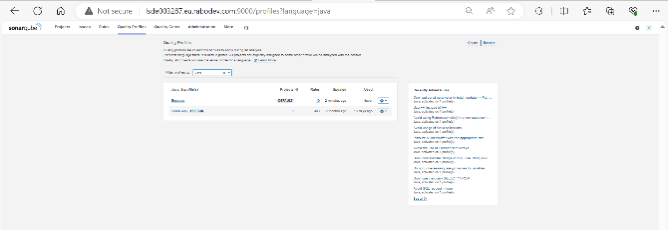
Filter Quality profiles by Java and then there are 2 profiles displayed, set EcoCode Quality profile as Default (to test EcoCode plugin).
Verify the EcoCode results
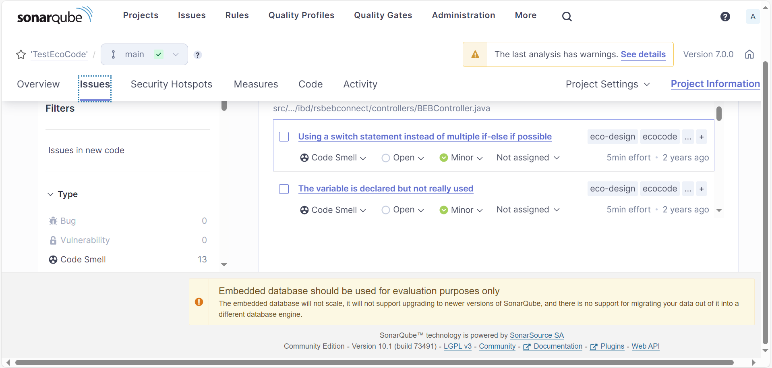
Execute maven command generate while setting up Java project in the earlier step and run the command in your maven spring boot application and wait until the build is successful. Once your build is successful, java code has been scanned against quality profiles configured. You can check the results and issues for the project, where you can see SonarQube suggesting how you can reduce your environment footprint.
Conclusion
EcoCode is add-on plugin to reduce the environmental footprint of your software applications using SonarQube. In this way, by using EcoCode developers can contribute in sustainable way of writing code.
SonarQube plays as role as a primary function, enabling developers to identify and rectify potential issues early in the development lifecycle. This layer brings green coding as soon as possible into the process. It provides real-time feedback to developers in any Rabobank IT department which uses SonarQube.
As a Rabobank engineer, I contribute to a more sustainable by bringing this green innovation to the table, where colleagues can learn from and be inspired. With the goal to implement this enterprise wide to have a much bigger impact.
The EcoCode repository is available in GitHub which is part of EcoCode.io.