How to implement IaC with DABs, Bicep, and Azure DevOps: Deploying Databricks in one go.
If you were thinking about dabbing based on the blog title, I’m going to disappoint you. It’s not.

- Gijs ReijnCloud Engineer

In this context, Databricks Asset Bundles (DABs) enable you to deploy Databricks resources using infrastructure-as-code (IaC), similar to how Bicep works for Azure resources. Although DABs are relatively new in the Databricks ecosystem, they are gaining popularity due to the ease of defining YAML files that specify artifacts, resources, and more for your Databricks project.There’s a slight nuance to it. Whilst the official documentation puts it in the context of IaC, it can be used to orchestrate it alongside your code. Examples are better:
- To orchestrate your Databricks project code, by defining workflows
- To define the infrastructure e.g. Compute, Cluster usage and more
In the end, DABs should define the whole solution you want to deploy.
But before deploying a Databricks project, you need a workspace, and Azure Databricks is an excellent platform for this purpose. In this blog post, I will share my experience with deploying DABs in an Azure Databricks instance. We’ll go throughhow to set up a DevOps pipeline through Azure DevOps, including IaC for your Azure resources and IaC on the Databricks Asset Bundles. Let’s get into it.
The Pipeline Design
In many pipeline designs, the application code (for instance, Databricks resources) is decoupled from the infrastructure code, leading to the registration of two pipelines in Azure DevOps. This setup has both benefits and drawbacks. Sometimes, we need to challenge the status quo. That’s why I chose to implement a single pipeline to handle both IaC and application code. The main reason was to have a single button to deploy everything and, eventually, a single button to remove it all. This is a common practice in the DevOps landscape.
Little did I know the resistance and challenges I faced. Let’s take a closer look at the design. First, the Azure resources are required to be in-place before we can actually deploy the code. The first part of the stage would look like:
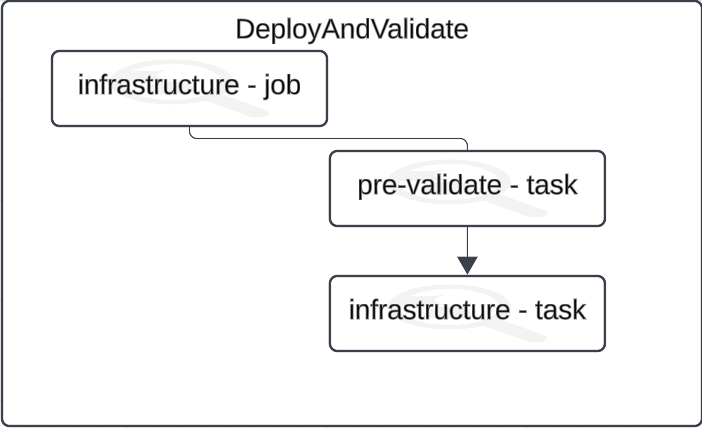
The pre-validation task was responsible for two things:
- Whenever certain folders have been modified during commits in the repository, it would flag it and write a variable telling whether the Azure infrastructure needs to be deployed or not
- Write environment data based on the Azure subscription targeted from the service connection
In point two, the most important aspect is the naming convention. Many organizations use naming conventions for nearly everything, including the service connections in Azure DevOps. For instance, if you have sc-dev-westeu-squada, the dev segment is what you want to extract. You’ll see the reason later.
You could already see in the Deploy and validate - step 1 picture, the stage in itself, both deploying Azure resources, and performing the first validation for the DABs in the particular environment. Time to expand that validation part by adding a new job, creating an explicit dependency on the infrastructure job.
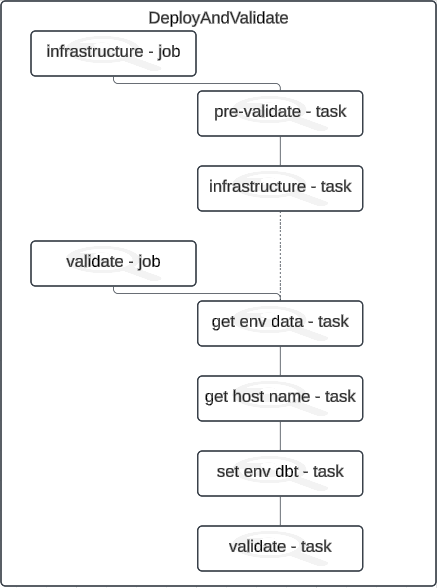
Here you can see the importance of following a naming convention. Whenever you create a new DAB, you will have at least two targets shown in the snippet below:
The hostname has been left empty for a good reason. We don’t know the hostname yet, as it will be determined when we run the pipeline that deploys the Azure resources. But how can we identify the target environment and replace it during runtime? The answer lies in following a proper naming convention. The following script demonstrates this perfectly:
Both $(𝐡𝐨𝐬𝐭𝐍𝐚𝐦𝐞) and $(𝗲𝗻𝘃) were retrieved from the previous job. Even if no infrastructure changes occur, these variables will always be set according to the naming conventions you’ve established, as the job will always run. In the snippet above, you can see the hostname being written to the .𝘆𝗺𝗹 file and updated accordingly.
Connect the stage to application deployment
Doing the deployment of your Azure resources first, then validating, and only after that dealing with the application code can be a bit confusing. But that’s just how DABs work at the moment, so we have to go with the flow. Maybe in the future, it might change so that it doesn’t require the underlying infrastructure to be deployed already. However, that might slightly alter the design of the pipeline.
Now, the last thing that was remaining, was the deployment of the actual DAB resources by using the 𝐝𝐚𝐭𝐚𝐛𝐫𝐢𝐜𝐤𝐬 𝐛𝐮𝐧𝐝𝐥𝐞 𝐝𝐞𝐩𝐥𝐨𝐲 command.
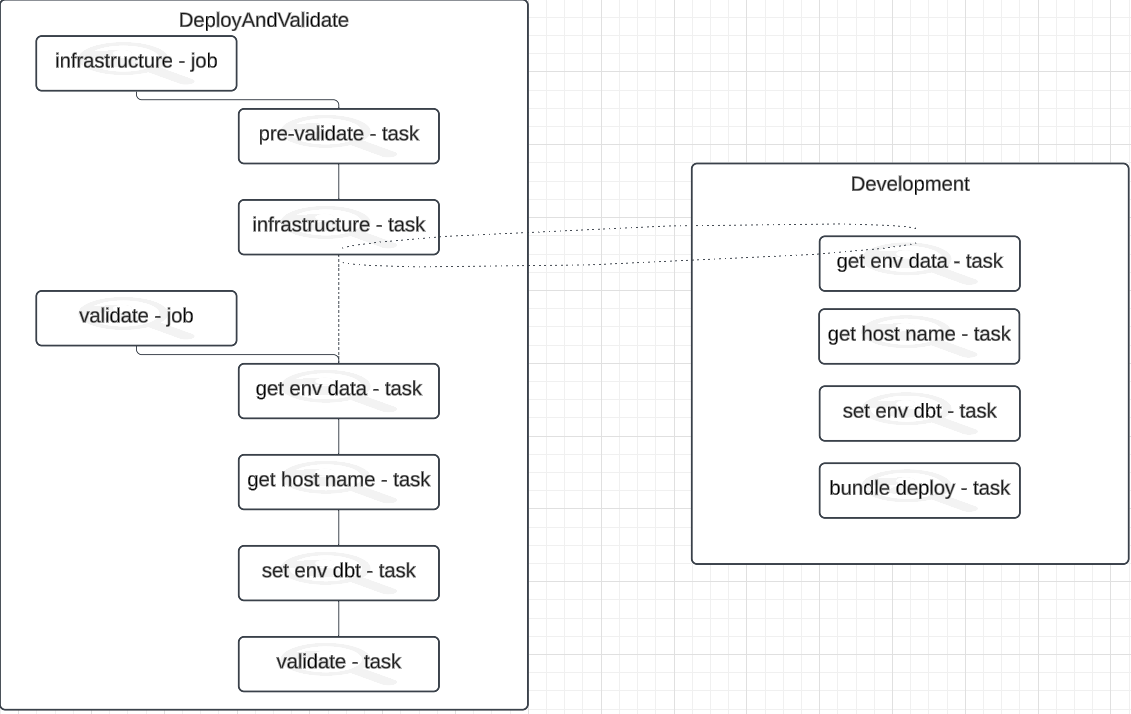
You can easily expand the stages applicable for your environment. To keep the design simple, I only added the development stage in there. In the references section, you can find an interesting link to a high-level view of DABs on multiple workspaces.
When the pipeline runs, any change that is being picked up in the folders, triggers the infrastructure job:
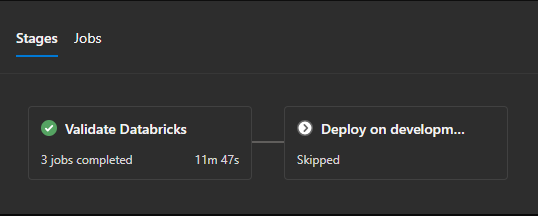
You can also create an easy toggle to overwrite it. If no changes are picked up, you can see the time decreasing and only the application code is deployed:
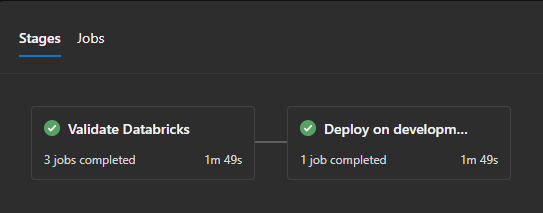
Of course, it will raise some questions on integrity, but nothing is perfect. Every pipeline design has its pros and cons.
Conclusion
And there you have it! Yet another approach learned by using Databricks Asset Bundles (DABS) in combination with Azure Bicep and Azure DevOps. It might seem a bit terrifying, but with the right pipeline design and a bit of patience, it becomes quite manageable. I hope my experience and insights have given you a clearer picture of how you can streamline DAB deployment and make the most ouf of these tools.